








Bg Eraser for Web Apps
- Free
- 4.8
- V1.2.0
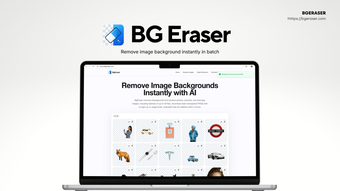
Free AI background remover that processes up to 20 images at once, no sign-up required.
Remove distracting backgrounds from photos and graphics in seconds, without signing up or paying a dime. Bg Eraser leverages AI to deliver clean, transparent results quickly while protecting your privacy.
Many creatives waste time manually cutting out subjects or juggling subscription-based tools that require accounts and store images indefinitely. Bg Eraser solves that by providing a fast, no-friction background removal workflow: upload up to 20 images at once, let the AI isolate subjects with precise edges, and download ready-to-use transparent PNGs or files with a flat background color — all within a single session.
- AI-powered background removal: Automatically separates subjects with clean edges — ideal for portraits, product photos, and illustrations — so you spend less time refining masks and more time designing.
- Batch processing: Upload up to 20 JPG, PNG, or WebP images and process them in one operation; save time by downloading the entire set as a ZIP file.
- Transparent PNG output: Get high-quality PNGs with transparent backgrounds for seamless compositing, or choose to apply a solid background color before download for quick previews and mockups.
- Privacy-friendly: Files are automatically deleted within 2 hours, reducing long-term storage and protecting sensitive or client work without any manual cleanup.
Choose Bg Eraser when you need a lightweight, immediate solution rather than a full-featured editor. Its key advantage is accessibility: no account, no subscription, and straightforward batch handling for up to 20 images makes it especially convenient for one-off jobs, quick iterations, and teams working under deadlines. The short automatic deletion window adds a layer of privacy many free tools overlook, so you can process client or proprietary imagery with greater peace of mind.
This web app is particularly suited for photographers preparing portfolio shots, product photographers creating e-commerce listings, graphic designers and digital artists composing collages or assets, and UX/UI designers producing clean icons and mockups. If you frequently export multiple images for web or print and need consistent, background-free assets quickly, Bg Eraser fits neatly into your workflow.
Because Bg Eraser focuses on core background removal tasks, it integrates well with existing toolchains: use it to prepare transparent assets for Adobe, Figma, Sketch, or any CMS and then continue detailed edits locally. For fast, privacy-conscious batch processing with no signup friction, Bg Eraser provides a reliable, efficient option that minimizes overhead while maximizing usable output.
Loading…
.png)
App specs
Developer
License
Free
Version
1.2.0
Latest update
Platform
Web Apps
OS
Internet Explorer
Language
English
Available languages
- Spanish
- English
- French
- German
- Italian
- Portuguese
- Polish
- Chinese
- Korean
- Japanese
Program available in other languages
Bg Eraser for Web Apps
- Free
- 4.8
- V1.2.0
User reviews about Bg Eraser
Have you tried Bg Eraser? Be the first to leave your opinion!
Add reviewTop downloads Graphic & Design for Web Apps
Top downloads Graphic & Design for Web Apps
Top downloads Graphic & Design for Web Apps
Related topics about Bg Eraser
Latest articles
Mortal Shell is the only soulslike that has managed to understand the essence of soulslikes, and its sequel looks like it can double down on what the original did well

Emily Watson reveals that she came close to never acting because she grew up in a religious sect

TikTok wants to allow payments via DM, is that a good idea?

Chatbots and ‘sentient’ AI talk: makers could dodge blame as cases climb
Google Pixel 11 now turns ringtones into custom vibrations
Laws concerning the use of this software vary from country to country. We do not encourage or condone the use of this program if it is in violation of these laws. Softonic may receive a referral fee if you click or buy any of the products featured here.